
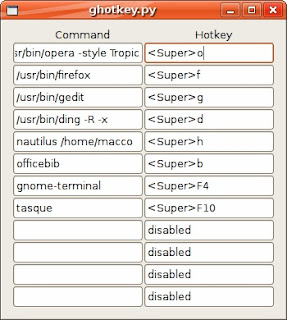
 This is a little Python program I wrote. It lets you set the 12 Metacity (the gnome window manager) hotkeys for any application you like. Set any command you like in the left entry field of a row and the corresponding hotkey in the right entryfield. The format for the hotkeys looks like "<Control>a" or "<Shift><Alt>F1". The parser is fairly liberal and allows lower or upper case, and also abbreviations such as "<Ctl>" and "<Ctrl>". If you set the option to the special string "disabled", then there will be no keybinding for this action.
Download ghotkey and rock Ubuntu today. Download: ghotkey-0.1.tar.gz